


Payments
Money in, tracked properly
Deposits, balances and refunds recorded against the reservation they belong to. The payment story of a booking is always one click away.
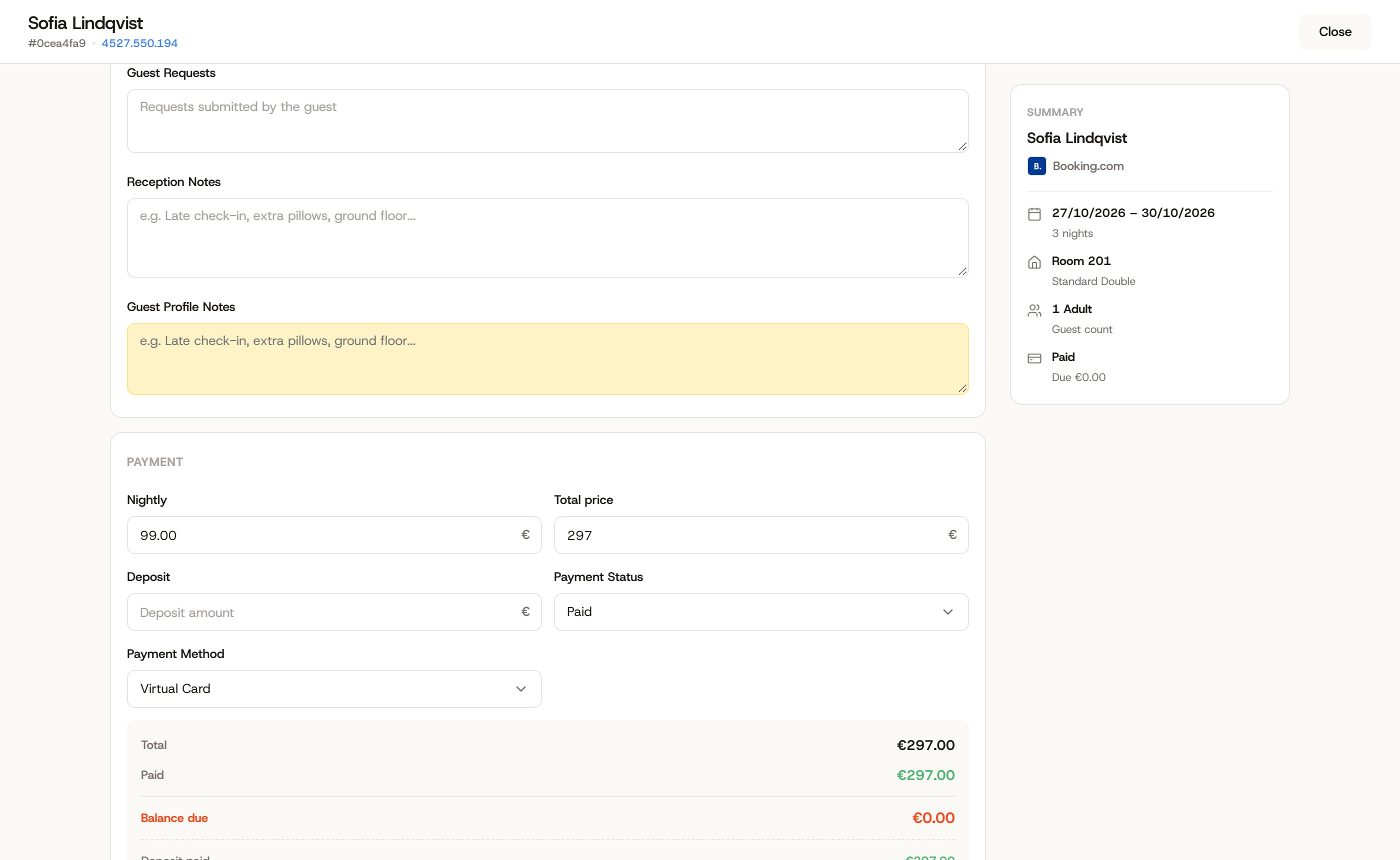
Inside a reservation
The folio tells the story
Charges, deposits, invoices and refunds all land on the same folio, so the balance is arithmetic, not a memory exercise.
Card details sit in encrypted storage, masked on screen, and every view of them is written to the audit trail. Refunds keep the same paper trail as payments.
Card data
Handled like it matters
Guests trust you with their card. The panel treats that like the liability it is.
Encrypted storage
Card details are stored encrypted, never plain text, never in an export.
Masked on screen
Staff see the last digits they need, not the number they don’t.
A view audit trail
Every view of payment details is written to the log with a name and a time.
1
A booking needs money
2
Record it, or email a deposit invoice
3
The balance updates on the reservation
4
Refunds keep a paper trail
Capabilities
The boring plumbing that runs money
Record payments and deposits against each reservation Email a deposit invoice when you want money before arrival Refunds recorded on the reservation they belong to, with a full paper trail Encrypted card storage with masked display and a view audit trail